
How to Automate Security Questionnaires Accurately

You automate security questionnaires by building one approved answer library, linking every answer to current evidence, letting software draft matches from that library, and having a named person approve each answer before it goes out. The speed comes from reuse. The trust comes from evidence and review. This guide shows how to set that up, how to keep NIS2, DORA, ISO 27001 and GDPR requests from blurring together, and how to measure whether the process works.
What a security questionnaire is and why you receive them
A security questionnaire is a list of questions a customer sends to a supplier to learn how the supplier protects data and systems. It usually covers access control, encryption, incident response, business continuity, supplier management and privacy. Some are short spreadsheets. Others run to hundreds of rows in a customer portal.
There are legal reasons behind them. Under the NIS2 Directive, entities in scope must manage cybersecurity risk measures that include supply chain security, which makes their suppliers a topic they have to ask about. Financial entities under DORA have rules for managing risk from ICT third party providers, so their suppliers receive due diligence requests. Under the GDPR, a controller that uses a processor must use only processors that give sufficient guarantees, and security of processing is a requirement in its own right. A questionnaire is how a customer collects those guarantees.
If you sell to larger EU companies, banks or public bodies, expect these requests to arrive often, and expect many of them to ask the same things in different words.
Where the time goes
Most of the effort in a questionnaire is not thinking. It is finding the last answer you gave, checking whether it is still true, locating the policy or report that proves it, and asking the right colleague. Security, IT, legal and sales all touch the same document, and the thread ends up in email.
That pattern is why automation helps. The repeatable parts are:
- reading the questions into a common format
- finding prior approved answers that match
- attaching the supporting document
- routing the unclear questions to the right owner
The parts that need judgement are approving the wording, deciding what to disclose, and anything that commits the company legally. A good process automates the first group and protects the second.
Build the answer library first
Software cannot give a reliable answer from a messy source. One published guide on building a reusable library recommends organising it around your own subject list, such as encryption, access control and incident response, rather than by customer or by framework domain. That keeps one answer per topic, which you then reuse for any customer or standard.
What each entry should contain
Treat every entry as a structured record. A library guide describing the fields lists the buyer question, approved wording in short and long versions, evidence links, an owner, an approval state and the last review date. In practice:
| Field | What to store |
|---|---|
| Topic | Your own subject, for example “Encryption at rest” |
| Approved answer | A short version for yes/no fields and a longer version for free text |
| Evidence | Links to the policy, configuration export or report that backs it |
| Owner | One named person who can confirm it is still true |
| Status | Draft, approved or retired |
| Last verified | The date someone last checked it against reality |
| Update trigger | What forces a review, such as a tool change or a new policy version |
Keep it fresh
Freshness is what separates a library from a pile of old answers. The same guide on answer libraries suggests a quarterly review, plus corrections whenever a new questionnaire reveals that an answer was incomplete. It also advises rechecking entries that have gone six months without verification and deleting any that cannot be verified. You can adopt different intervals, but set a rule and enforce it.
Privacy answers deserve particular care because they depend on how personal data actually flows through your systems. For an example of how a sector writes down its data handling, see this guide to data privacy in bookings, then write your own entries the same way: specific, plain and tied to what you really do.
The automated workflow, step by step
A dependable process is a governed workflow, not a single button. One engineering write up on agentic questionnaire workflows describes the stages as ingesting and normalising the questions, retrieving relevant prior answers, grounding them in supporting documents, and branching so each question either moves forward automatically or pauses for human review. You can follow the same shape whatever tool you use.
- Ingest. Import the spreadsheet, form or portal export and split it into individual questions with their reference numbers.
- Match. Compare each question with the library and propose the closest approved answer.
- Ground. Attach the evidence the answer rests on. If an answer has no evidence behind it, it should not be drafted.
- Route. Send confident, low risk matches to a quick review. Send gaps, conflicts and sensitive topics to the named owner.
- Approve. A person signs off each answer. Nothing leaves without that step.
- Learn. Add new questions and corrections back to the library so the next questionnaire is faster.
Step six is where the compounding gain sits. Every questionnaire either confirms the library or improves it.
Review and approval rules for drafted answers
Accuracy matters more than speed. One practitioner guide points out that an inaccurate answer is worse than an honest gap, because inaccuracies can resurface later in evidence requests, audits or incidents and damage trust. Your rules should reflect that.
Decide what may be drafted automatically
A boundary matrix helps. One published workflow suggests that automated drafting is allowed only for stable, approved, non customer specific answers with current evidence. The same source treats incident history, legal or regulatory commitments and certification or attestation claims as topics needing stricter handling, and blocks drafting when evidence is missing, stale or conflicting.
A simple version for your team:
| Question type | Handling |
|---|---|
| Stable technical controls with current evidence | Draft from the library, quick review |
| Customer specific commitments, service levels, liability | Human written |
| Incident history | Human written by the security lead |
| Certification and attestation claims | Use only your approved certificate wording, reviewed by the owner |
| Anything without approved evidence | Leave blank, flag as a gap |
Leave gaps visible
A useful design rule is that the system marks a gap and leaves the answer blank when its knowledge base lacks evidence, instead of filling the space from general knowledge. A visible gap costs a few minutes. A confident wrong answer can cost the deal.
Separate drafting from approval
A maker and checker rule keeps responsibility clear: the tool may draft, but only a human approves, edits or sends. Record who approved each answer and when. That record is also useful if a customer later asks how an answer was produced.
Also protect the data itself. A questionnaire library holds a map of your controls, so choose tools that store data in the EU, restrict access by role and keep a log of changes. Guardiso describes its approach on its security page.
Keeping NIS2, DORA, ISO 27001 and GDPR requests apart
Customers rarely quote the law they are acting under. They send a question such as “Describe your supplier risk management.” The same answer may satisfy a NIS2 customer, a DORA customer and an ISO 27001 supplier review, but the framing differs. Keep the underlying fact and evidence single, and keep the framing tagged.
- NIS2. The directive is Directive (EU) 2022/2555. Customers in scope ask about risk management measures, incident handling and supply chain security. Tag library entries that respond to those themes.
- DORA. The regulation is Regulation (EU) 2022/2554. Financial entity customers ask about ICT third party risk, so expect questions on service description, subcontracting, resilience and exit. Contract specific terms belong with legal, not in the library.
- ISO 27001. ISO/IEC 27001 is the international standard for information security management systems. Questions here often ask whether you hold a certificate or follow the standard. Answer about certification only with approved wording and the supporting document. Guardiso is an ISO 27001 certified company, and that is the only way we describe it.
- GDPR. The GDPR drives questions about processing, subprocessors, data location and security measures. Keep these in a privacy topic with a named owner, usually your data protection lead.
The practical method is a mapping: each library entry carries tags for the requirements it supports. When a new request arrives, you search by topic, then confirm the framing. This is the same idea behind mapping one control to many standards, which Guardiso covers in its overview of supported standards and in a guide to compliance automation.
Evidence preparation follows the same logic. If your policies, access reviews and configuration exports are collected once and linked to each control, they serve the questionnaire, the customer audit request and your own internal review. Our article on automated evidence collection explains how that works.
Small teams and consultants
A team of two or three people cannot afford a heavy process, so the rules need to be few and clear.
- One owner for the library. Usually the security or compliance lead. They own the structure and the review calendar.
- Named topic owners. IT for access and backups, HR for onboarding and training, legal for contracts and privacy. They confirm only their topics.
- A fixed intake. All questionnaires go to one shared queue, not to individual inboxes, so nothing is answered twice.
- A short monthly slot. Thirty minutes to clear flagged gaps and retire stale entries keeps the quarterly review light.
Consultants who manage several clients should separate each client’s library completely. Answers, evidence and approvals belong to the client, and mixing them risks one client’s controls appearing in another’s response. Keep a common template for structure, with client specific content inside each workspace. Where a consultant supports many clients across different standards, a platform that holds each client’s controls, documents and evidence separately saves repeated setup.
Measuring whether it works
Do not rely on a feeling that it is faster. Pick a handful of measures and record them for every questionnaire. The measures below are ones you define and collect yourself, so compare your own figures over time.
| Measure | How to calculate it | What it tells you |
|---|---|---|
| Turnaround time | Date received to date sent | Whether customers wait less |
| Effort per questionnaire | Hours logged by all contributors | Real saving, including reviewers |
| Reuse rate | Answers taken from the library divided by total questions | How complete the library is |
| Correction rate | Drafts changed by reviewers divided by drafts reviewed | Draft quality and library accuracy |
| Gap count | Questions with no approved answer | Where to write new entries |
| Stale entries | Entries past the review interval | Process discipline |
| Follow up requests | Customer queries after submission | Whether answers were clear and backed |
Before you start, time your last three questionnaires by hand to set a baseline. After a quarter, compare. A high reuse rate with a high correction rate means the library is full but out of date. A low reuse rate means you need more entries, which the gap list tells you how to write.
How Guardiso supports this
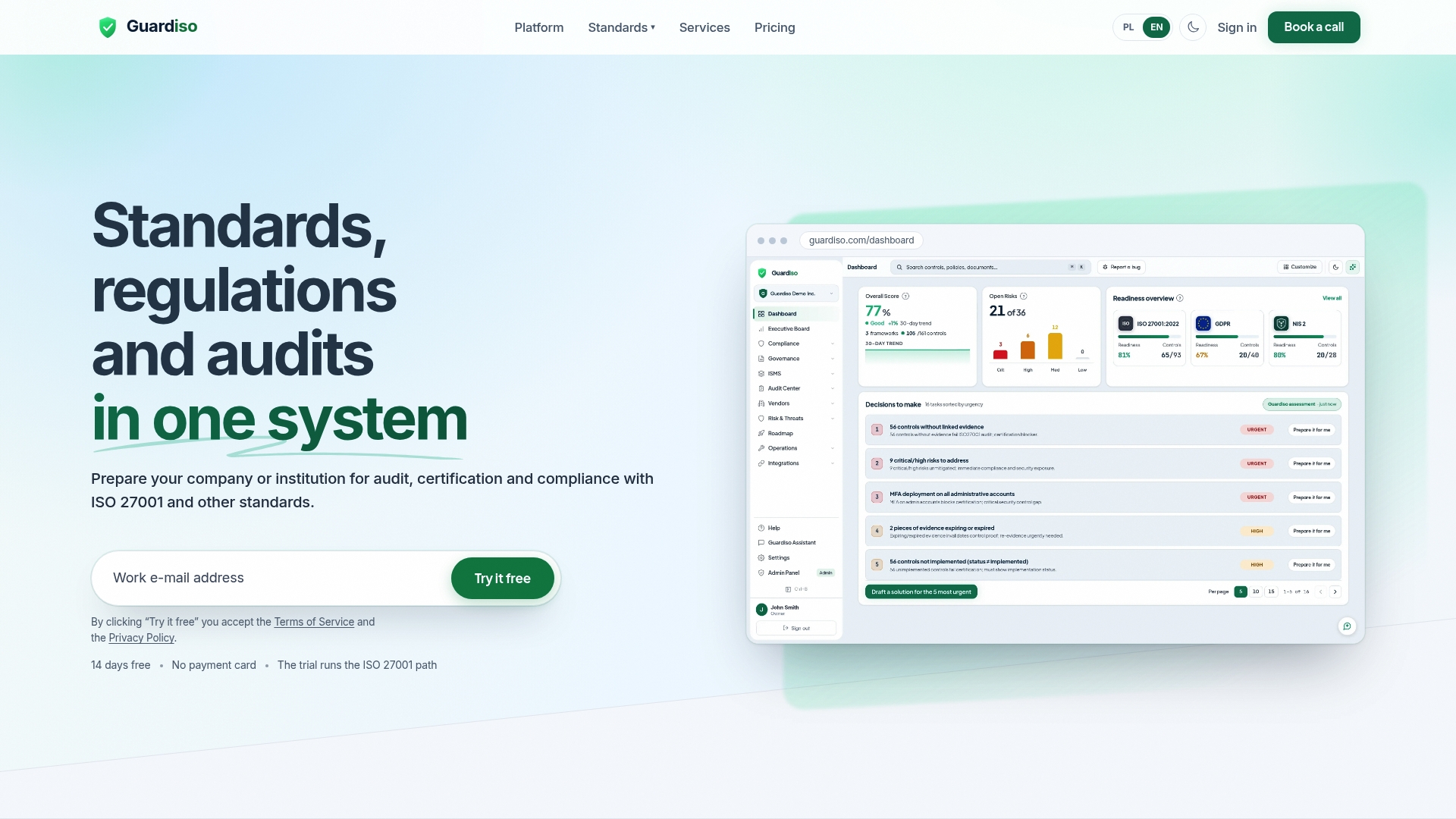
Guardiso is a platform for managing information security and regulatory compliance. In one system you run ISO 27001, GDPR, NIS2, DORA and other standards, and one set of documents and evidence serves many regulations. It collects evidence from tools such as Microsoft 365, GitHub and AWS, offers compliance questionnaires, and prepares a complete evidence pack for the auditor. Policies are available in English and Polish, and data is stored only in the European Union.
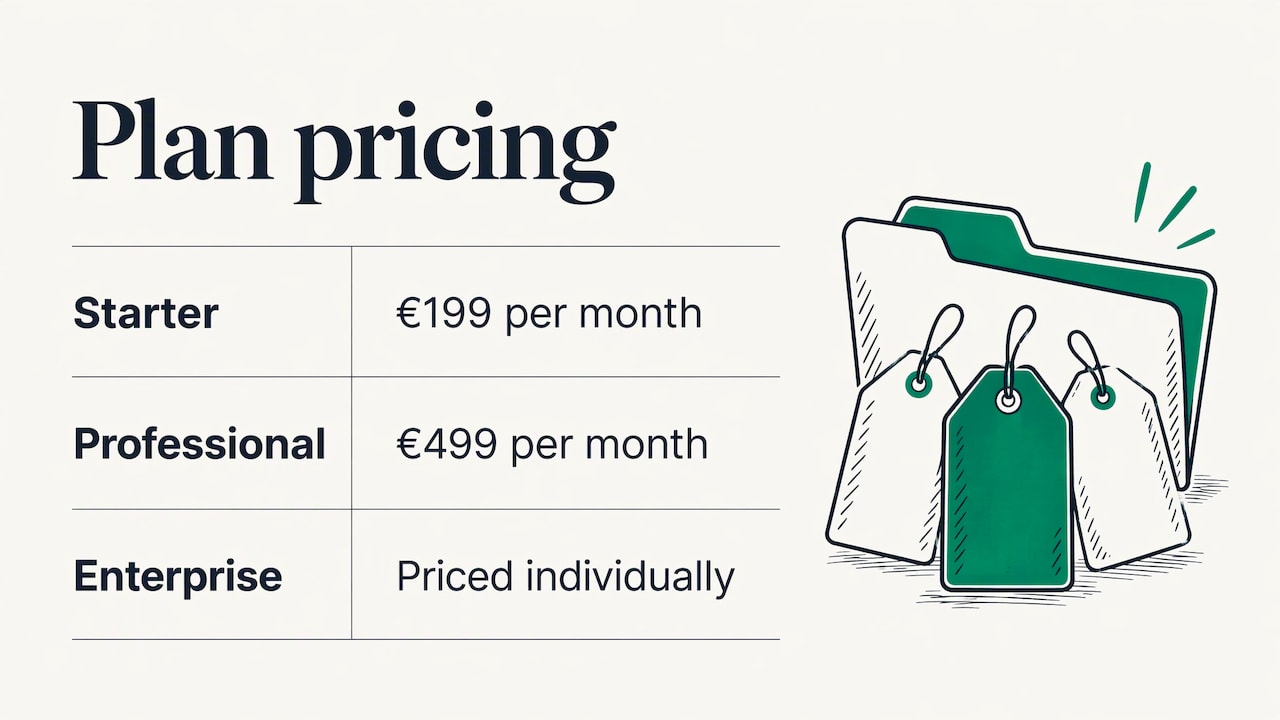
The Starter plan costs €199 per month and Professional costs €499 per month. Enterprise is priced individually. See the plans and pricing for what each includes.
If you want an expert view of your controls before customers ask about them, Guardiso also offers vulnerability assessments and application testing, which produce findings you can reference in your answers.
FAQ
Can a security questionnaire be fully automated?
The drafting and evidence matching can be automated, but approval should stay with a named person. Sensitive topics such as incident history, legal commitments and certification claims need human handling. Automated drafts that are not reviewed risk sending inaccurate answers to customers.
What should I do when there is no approved answer?
Leave the answer blank and mark it as a gap, then route it to the topic owner. Once they write and approve a response with evidence, add it to the library. That way each gap is closed once and not repeated on the next questionnaire.
How often should the answer library be reviewed?
Set a fixed rule and keep to it. One published guide suggests a quarterly review and rechecking entries unverified for six months. You should also review an entry whenever a tool, policy or supplier changes.
Does one set of answers cover NIS2, DORA and ISO 27001?
The underlying facts and evidence can be shared, because the same controls support all three. The framing differs, so tag each entry with the requirements it supports and check the wording against the customer’s question. Contract specific terms should be answered by legal.
Sources
- Directive (EU) 2022/2555 (NIS2), EUR-Lex
- Regulation (EU) 2022/2554 (DORA), EUR-Lex
- Regulation (EU) 2016/679 (GDPR), EUR-Lex
- ISO/IEC 27001, ISO
- Building a Reusable Answer Library for Security Questionnaires
- Security Questionnaire Answer Library: Fields, Owners and Freshness
- Running Agentic Security Questionnaires with Prefect Cloud
- How to Complete a Security Questionnaire
- Security Questionnaire Evidence Packet and Boundary Matrix
- Building a Security Questionnaire Skill
- Security Questionnaire Copilot Stack for SaaS Teams
- Data privacy in golf tee-time booking